What's new in MurFFy

Every release, improvement and fix, as we post it on the changelog channel of our Discord server.

Join our Discord
  1. New release

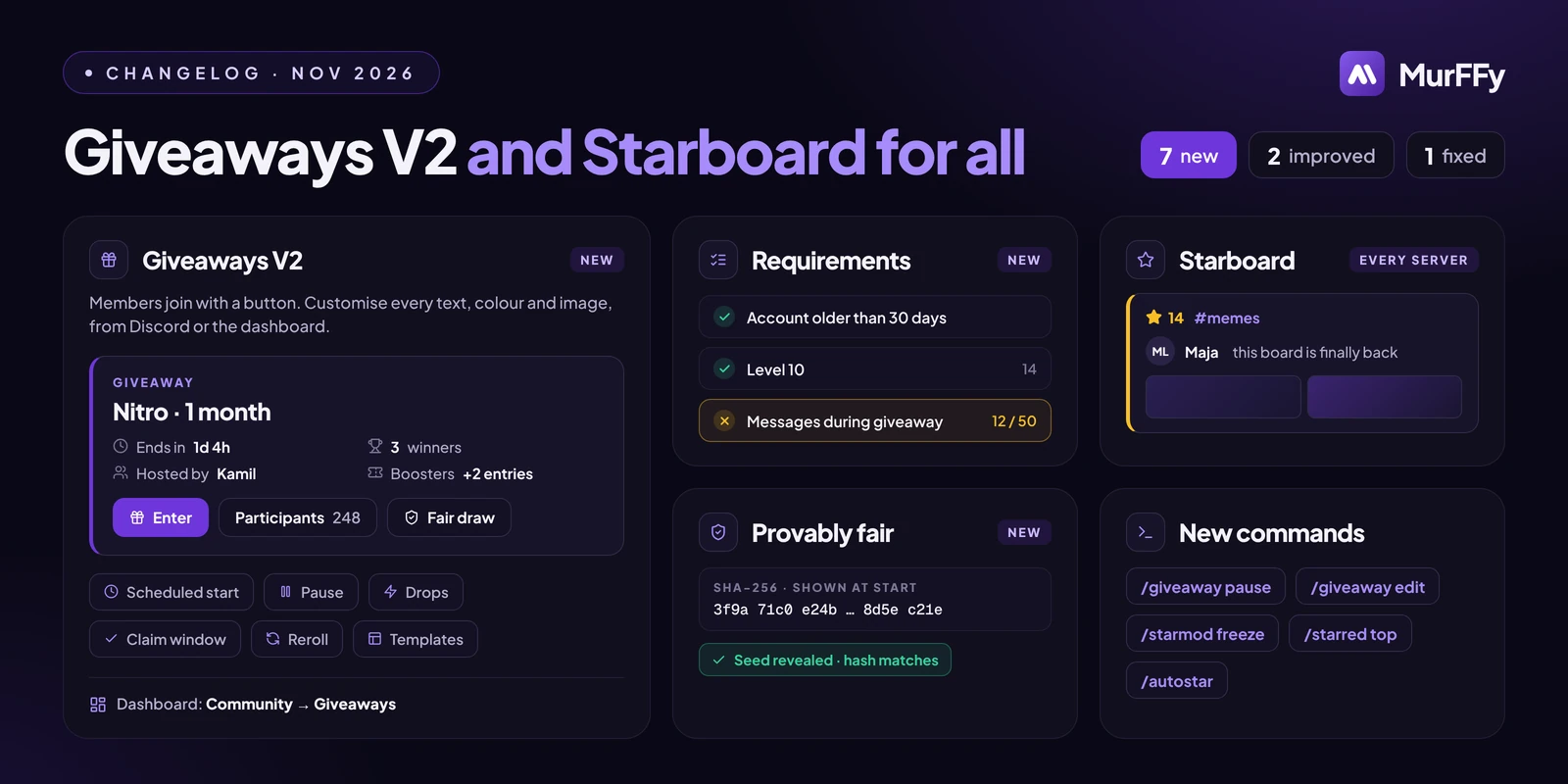
    Giveaways V2 and Starboard for every server

    Giveaways are rebuilt from scratch with an Enter button, entry requirements and draws anyone can verify, and Starboard is out of Nightly and available on every server. Both come with a full dashboard page.

    What's new

    • 🎉 Giveaways V2: members join with an Enter button instead of a reaction. Pressing it again shows their entries and chance to win, with a button to leave. Giveaways that are already running finish as before.
    • ✅ Entry requirements: required roles (any or all), blocked roles, bypass roles, account age, time on the server, level, messages sent during the giveaway, or Server Boosters only. Members who can't enter get a private checklist of what's missing.
    • 🎟️ Bonus entries per role, drops where the first clicks win, a claim window that replaces winners who don't claim in time, a winner role, DMs to winners and a role ping on start.
    • 🔐 Provably fair draws: the giveaway shows the hash of a secret seed and reveals the seed when it ends, so anyone can check the winners weren't hand-picked. Winners who left or lost a required role are skipped.
    • 🗓️ Full control: scheduled start, pause and resume, edit, cancel, reroll everyone or one winner, templates and server defaults. /giveaway gets all the new options plus pause, resume, cancel, edit and list.
    • 🖥️ Giveaways in the dashboard (Community → Giveaways): create with a live preview, customise colours, images, the button and every text, browse entrants and winners, and set the log channel and giveaway manager roles.
    • ⭐ Starboard for everyone: per-channel overrides, exclusive and filter groups, autostar channels, award roles, image galleries, /starmod to force, trash, freeze or refresh posts and /starred for top posts and the leaderboard. The dashboard adds a post browser and statistics.

    Improvements

    • Starboard settings that used to do nothing now work: removing invalid reactions, vote cooldown, private boards, minimum message length, and following edits and deletions of the original message.
    • 💬 The support chat on murffy.xyz is now a Help button that opens a side panel with your cases and a short two-step form for a new one. The AI still answers first and the team takes over in the same case.

    Bug fixes

    • Opening a server in the dashboard right after the bot restarts no longer ends in an error. If Discord itself is down, you get a clear message instead.

    With Premium

    • Recurring giveaways, more than 3 bonus-entry roles and up to 25 giveaway templates (3 on the free plan).
    • Up to 6 starboards (3 free), 20 emojis per list (5 free), regex filters and award roles by leaderboard position.
  2. Update

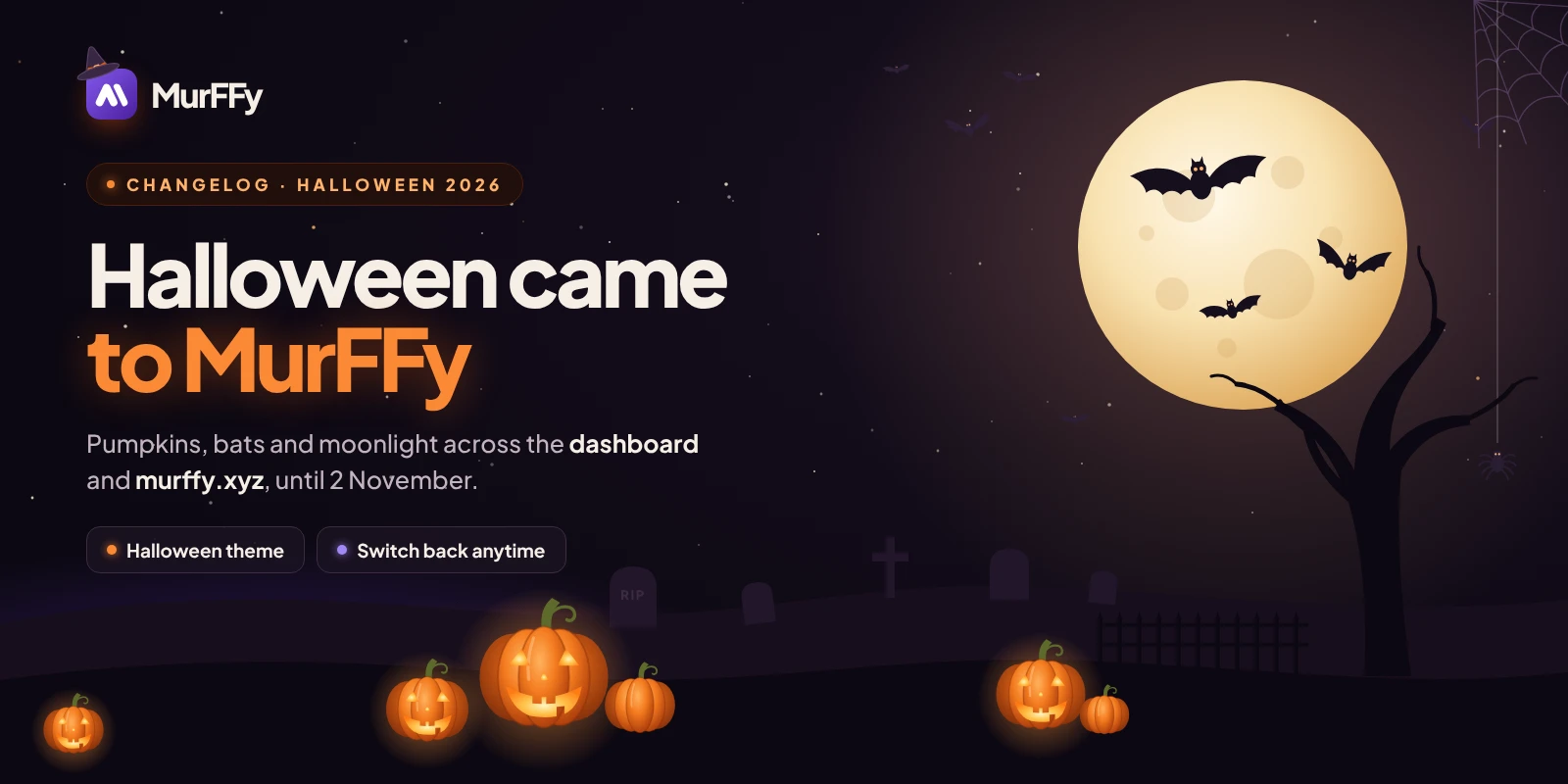
    Halloween has come to MurFFy

    Until 2 November, the dashboard and murffy.xyz are dressed up for Halloween: pumpkin orange instead of violet, a moonlit night sky, bats and flickering jack-o'-lanterns. There's nothing to set up, it's already on. Not in the mood? One click takes you back to the usual look.

    What's spooky

    • 🎃 A whole new look: buttons, switches, tabs and highlights turn pumpkin orange, and every surface becomes a dark, plum-tinted night. Every page and module of the dashboard is themed, along with the server list.
    • 🦇 A living night sky: bats fly across the background, a spider dangles on its thread in the corner and a cobweb hangs under the top bar.
    • 🌕 A graveyard at the end of every page: scroll to the bottom to find a moon rising behind a dead tree, bats circling it, tombstones and glowing jack-o'-lanterns in the mist.
    • 🕯️ Little details everywhere: a witch hat on the MurFFy logo, pumpkins on the server overview and next to every module's icon, a ghost when a list is empty and a jack-o'-lantern while the dashboard loads.
    • 🌐 murffy.xyz too: the home page gets the same moon, bats and pumpkin patch.

    Prefer the usual look?

    • Open Settings → Appearance in the dashboard and pick Default under Panel theme. It switches instantly, is saved in your browser and applies to murffy.xyz as well.
    • After 2 November everything goes back to the usual MurFFy look on its own.
    • The Halloween animations respect Reduce effects and your system's reduced-motion setting: only the still decorations stay, so older computers and phones keep running smoothly.
  3. Update

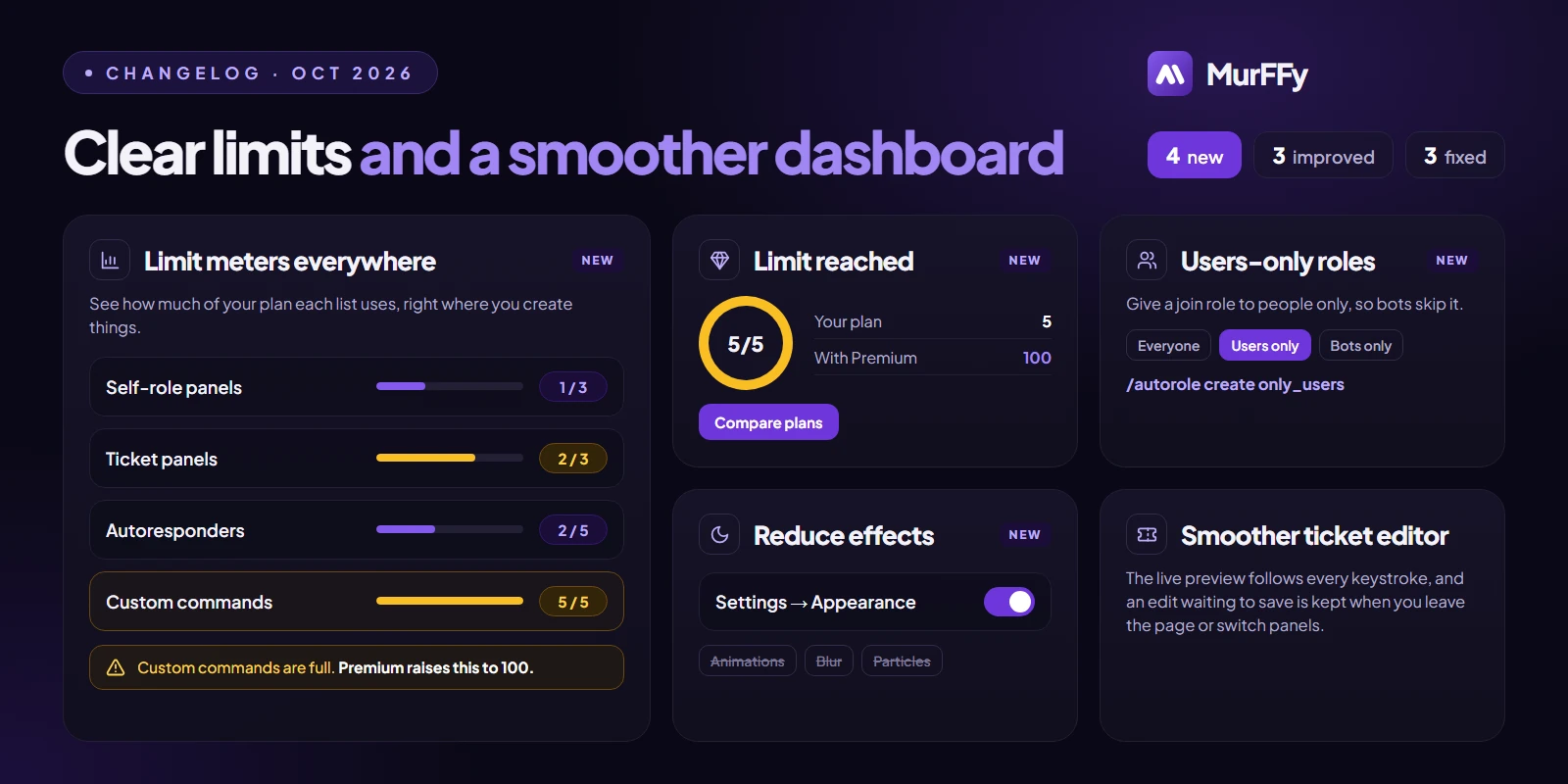
    Clear limits and a smoother dashboard

    Every list in the dashboard now shows how much of your plan it uses, and hitting a limit tells you exactly what Premium would change. Also new: users-only join roles, a Reduce effects switch and a faster ticket panel editor.

    What's new

    • 📊 Limit meters: lists show how much of your plan they use, like 3 / 5, and turn amber close to the limit. They're on self-role panels, tickets, join roles, starboards, custom commands, autoresponders, reminders, leveling, economy, backups and more. A banner warns when a list is almost or completely full.
    • 💎 Clear limit-reached window: when you hit a limit, MurFFy shows your usage, what Premium raises it to and what else Premium includes. If Premium wouldn't raise that limit, it says so instead of offering it.
    • 👥 Users-only join roles: give a join role to people only, so bots don't get it. Set it in the dashboard or with /autorole create only_users:True.
    • 🌙 Reduce effects: a new switch in Settings → Appearance turns off animations, background blur and particle effects, so the dashboard runs smoother on older computers and phones. It's saved per browser and follows your system's reduced-motion setting until you change it.

    Improvements

    • The dashboard's Premium page shows your server's plan usage, closest to full first, and the plan comparison on murffy.xyz now comes straight from the bot's real limits.
    • The ticket panel editor is faster: the live preview follows your panel message and buttons per row as you type, and an edit that's still saving is kept when you leave the page or switch panels.
    • Limit messages in Discord are translated for each feature and say what Premium raises the limit to, or that you're already on the highest plan.

    Bug fixes

    • Publishing a self-role panel in embed mode with an empty embed no longer fails: the dashboard tells you what's missing, and the bot falls back to the panel's text message.
    • Hitting a limit on embed presets, custom commands, appeals, backups and other lists no longer shows up as a permission error.
    • Capsule panels use your plan's limit instead of a fixed 10.
  4. New release

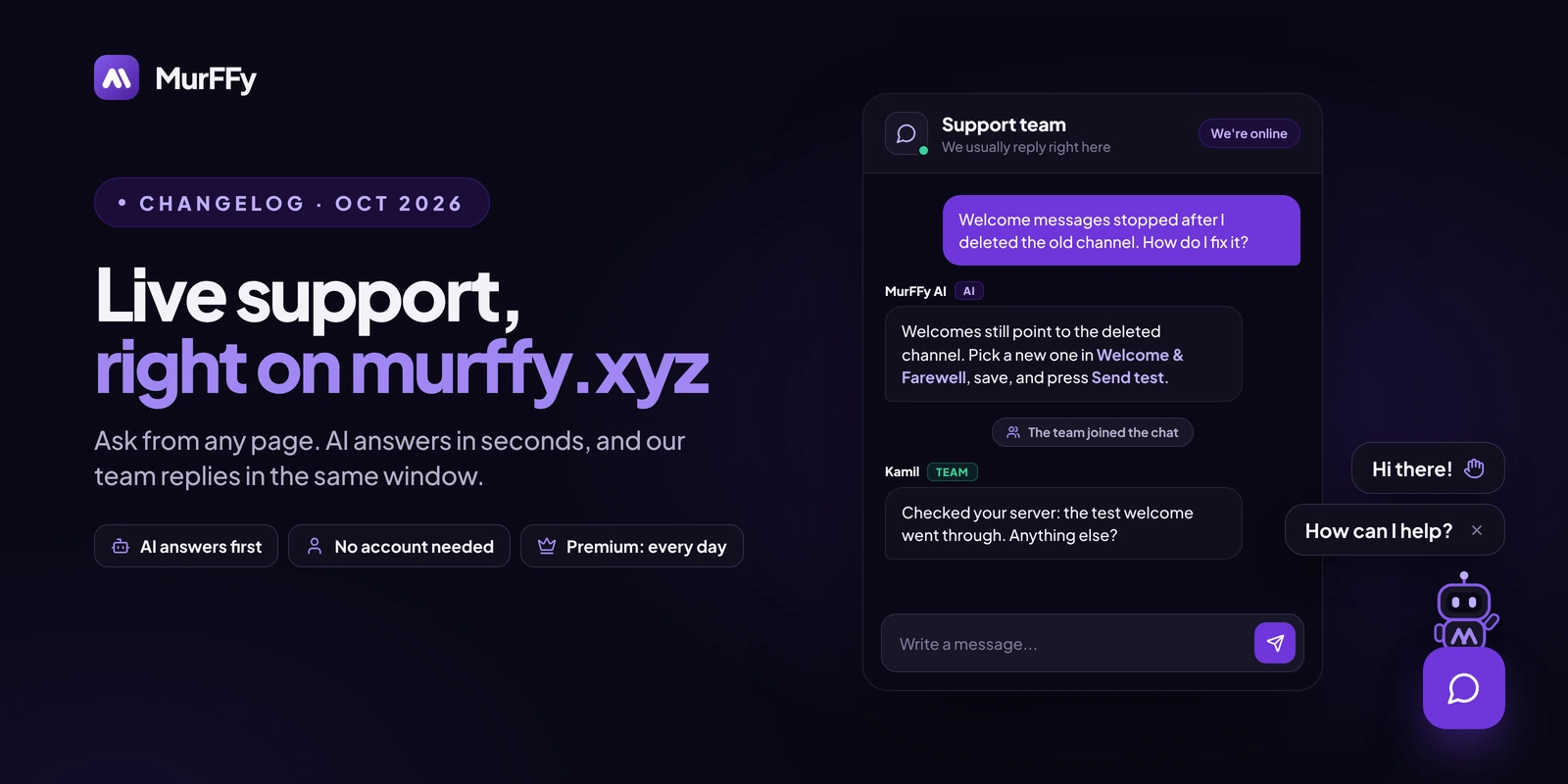
    Live support, right on murffy.xyz

    Need help with MurFFy? You no longer have to leave the website. A new support chat sits in the corner of every page: the AI answers in seconds, and our team replies in the same window.

    What's new

    • 💬 Support chat on murffy.xyz: press the chat button (look for the little robot), pick a category, describe the problem and talk to us right there. Replies show up live, and the button shows a counter when there's an answer you haven't read.
    • 🤖 AI answers first: the MurFFy assistant replies right away from our knowledge base. When it can't solve the problem, or you press I want to talk to a human, the team takes over the same conversation. Payment problems go straight to the team.
    • 👤 No account needed: write as a guest, or log in to pick the server you need help with, so we can see its setup and Premium status, and to keep your requests on every device.
    • 🕙 Support hours: the team is on the chat Monday to Saturday, 10:00 to 22:00 Polish time. Premium servers get help every day, Sundays too. Outside those hours the AI still answers, and the team picks up when it's back.
    • ⭐ When a request is closed, rate the help from 1 to 5 stars and tell us what went well and what didn't.

    Improvements

    • The new support window replaces the old website live chat, with team status and hours at the top and all your requests in one list.
  5. New release

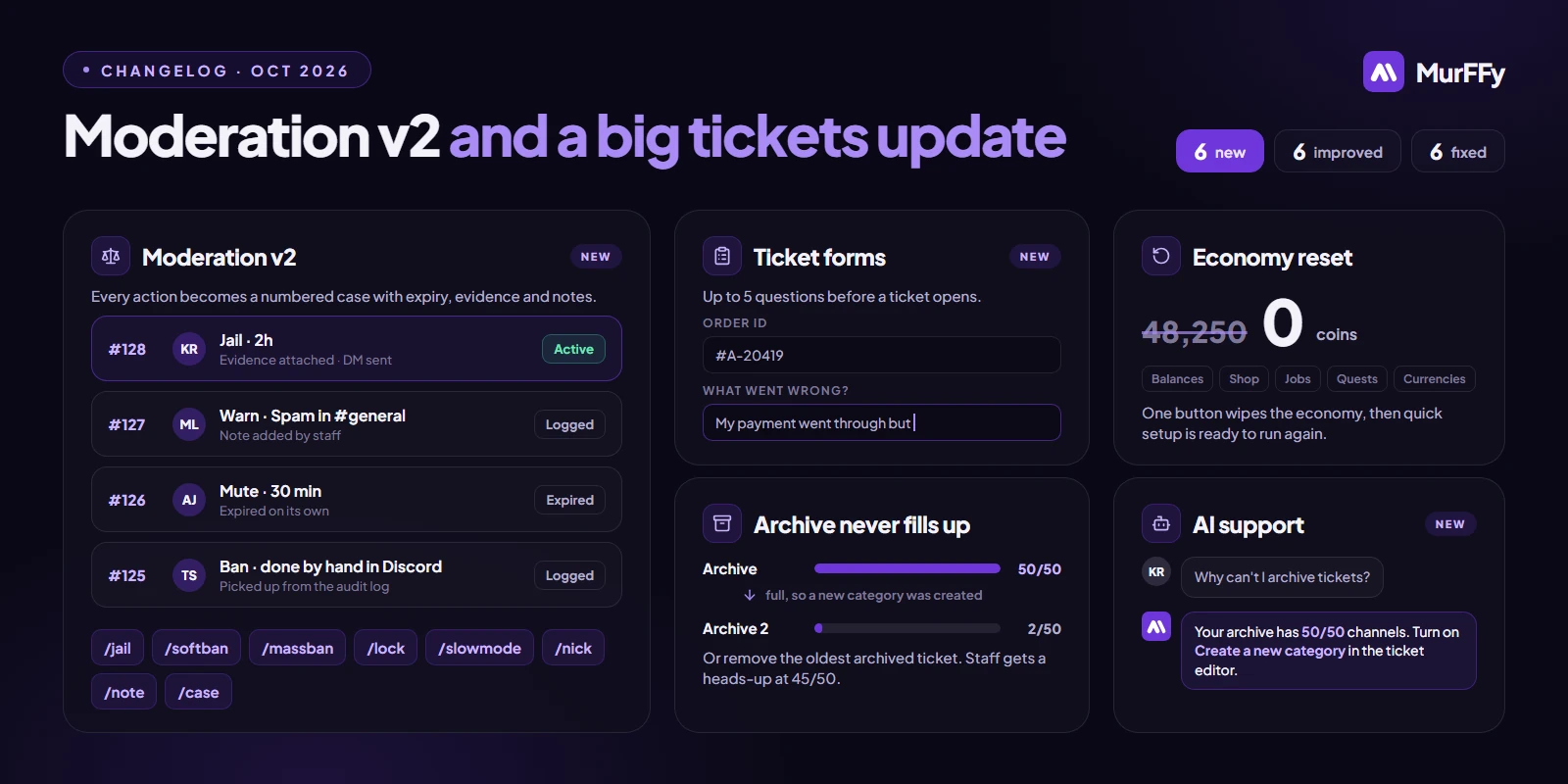
    Moderation v2 and a big tickets update

    This update brings Moderation v2 with numbered cases and new tools, ticket opening forms, a redesigned ticket button editor that also handles full archive categories, and a round of fixes across the bot and dashboard.

    What's new

    • ⚖️ Moderation v2: every ban, kick, mute and warn now creates a numbered case with duration, expiry, evidence, notes and DM status, and temporary punishments expire on their own. Actions taken by hand in Discord are recorded as cases too. Browse them with /case or in the dashboard.
    • New moderation commands: /jail and /unjail (jail is re-applied when the member rejoins), /softban, /massban, /lock and /unlock, /slowmode, /nick and /note, plus a reworked /modpanel.
    • 🎫 Ticket opening forms: ask up to 5 questions before a ticket opens. The answers appear in the ticket's first message.
    • 📦 Full archive handling: Discord allows 50 channels per category. The ticket editor shows how full your categories are, and you choose what happens when the archive fills up: create the next archive category automatically or remove the oldest archived ticket (its transcript is kept). Staff can get a heads-up on a chosen channel at 45/50.
    • 💸 Economy reset: start your server's economy from scratch with one button in the dashboard. Balances, items, shop, jobs, quests, currencies and settings are cleared, and quick setup is ready to run again.
    • 🤖 AI support on our support server: the MurFFy support assistant answers from our knowledge base and, after you sign in with Discord, can check your server's MurFFy setup (read-only) to spot deleted channels, missing permissions or roles above the bot.

    Improvements

    • The ticket button editor is reorganised into sections grouped by ticket stage, with a live button preview, a short status for every section and tabs on phones.
    • Ticket panels have an Anyone can close tickets option. Deleting and archiving stay with support staff, and ticket numbers no longer repeat.
    • Servers on a single-prefix plan can now change their custom command prefix.
    • Announcements open as a swipeable bottom sheet on phones, so they always fit on screen.
    • Action log events and Premium pages are shown in your language.
    • Signing in through MurFFy's own apps no longer asks for an extra approval right after you log in.

    Bug fixes

    • Archiving a ticket into a full category no longer gets stuck on “thinking…”, and opening a ticket in a full category explains what happened.
    • Ticket, mod panel and self-role replies show translated text again.
    • /suggest shows an error instead of failing when suggestions are off or the channel is missing.
    • Custom command names with spaces or capital letters are corrected on save, so one name can no longer stop a server's commands from updating.
    • Member counters stay within Discord's rate limits on large servers, and announcement counters explain when the server has no announcement channels.
    • The Message Kits list loads reliably again.

    Security

    • Dashboard access roles and the release channel can be changed only by the server owner, checked by the API as well as the dashboard.
  6. New release

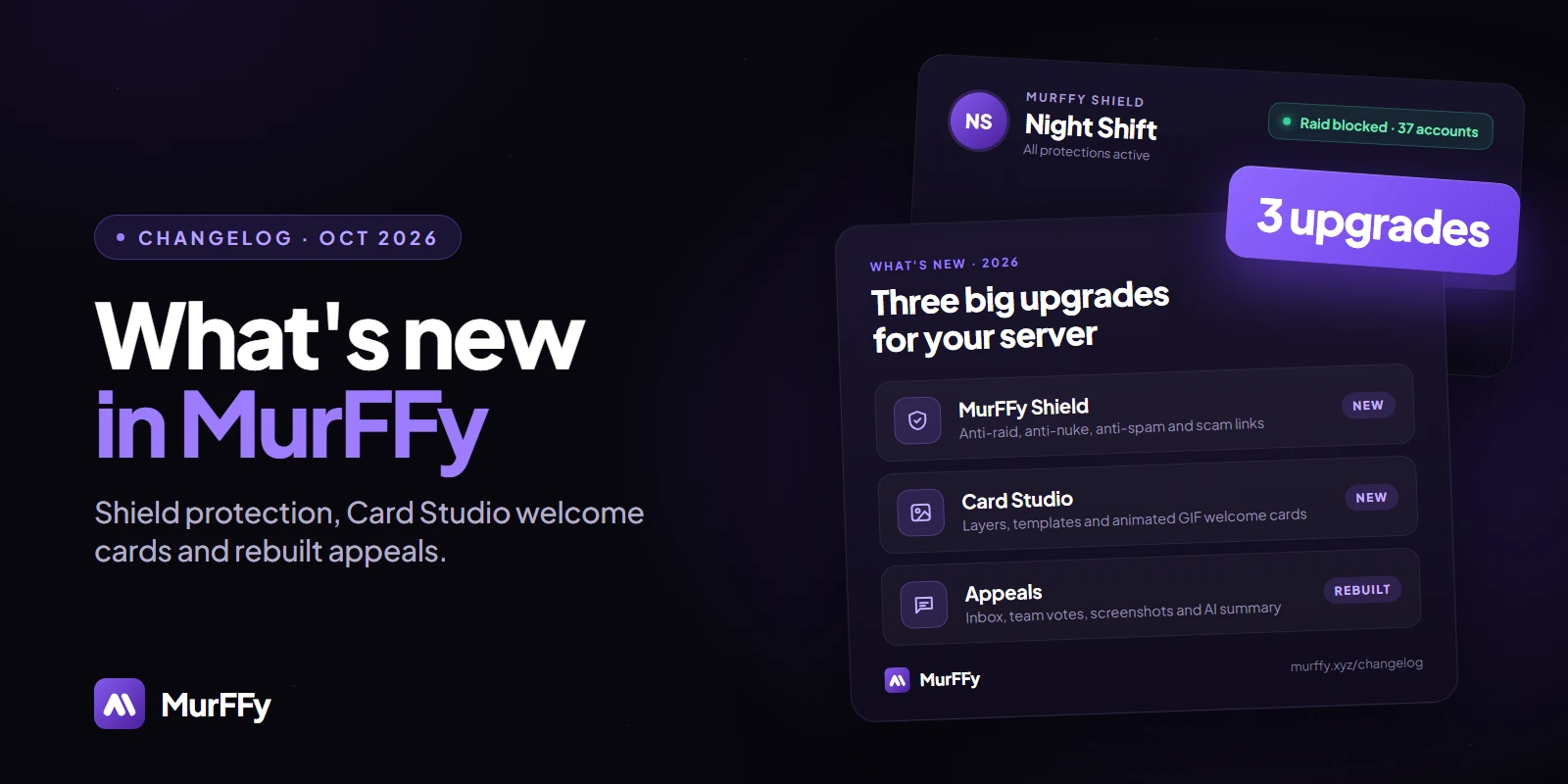
    MurFFy Shield, a new welcome builder and rebuilt appeals

    A big update today: complete server protection with MurFFy Shield, a brand-new welcome and farewell builder with Card Studio, and an appeals module rebuilt from the ground up. Everything is ready to set up in the dashboard.

    What's new

    • 🛡️ MurFFy Shield: anti-raid, anti-nuke and bot quarantine in one place. Raids are detected from suspicious joins and the server locks down automatically; mass deletions, bans and other dangerous admin actions are stopped and reverted. Set it up with /security or in Moderation & Security → Shield.
    • Shield also guards against webhook abuse, spam, scam and phishing links, and accounts impersonating your staff. A setup wizard, test mode, raid simulator and full incident history are included.
    • Card Studio: a new welcome card editor with layers, images, shapes, gradients, snapping and undo/redo, a template gallery and share codes for your designs. Premium servers can use animated GIF cards and custom fonts.
    • New welcome & farewell builder: modern Discord layouts next to text and embeds, link, say-hi and role buttons, random message variants, milestones, delayed sending, auto-delete and a delivery log, all with a live preview.
    • Appeals, rebuilt: an inbox with filters and search, a drag-and-drop form builder with 7 question types and templates, team votes, screenshots, automatic warnings for possible alts and copied answers, and an on-demand AI summary.
    • Punished members can now appeal straight from their ban, kick or timeout DM with the Appeal this punishment button.
    • Changelog: updates like this one are now posted here and on the new changelog page on murffy.xyz.

    Bug fixes

    • Appeals now correctly detect bans and timeouts, so punished members always see the form meant for them. Two moderators can no longer decide the same appeal at once.
    • Custom server emojis added after the bot started now show up in the dashboard emoji picker.
    • Welcome, farewell and boost test buttons now show an error when the bot can't send the message, instead of reporting success.
    • Self-role panels publish without the Manage Messages permission when there are no reactions to clear, and the dashboard tells you which permission is missing.
    • Missing bot permissions no longer cause duplicate panels or forms, and VoiceMaster and counter channels keep working when the bot can't set channel permissions.
    • Social alerts: a failure on one server no longer stops alerts for every server after it.
    • The forms editor in the dashboard now uses the panel colours instead of grey blocks.

    Security

    • The public appeal page no longer reveals whether a user is banned on a server.