On this page
A server without goals goes quiet fast. A leveling system gives members a simple reason to come back: every message earns a little XP, milestones unlock roles, and the leaderboard shows who is the most active.
In this guide you will add levels to your Discord server with MurFFy: how much XP a message is worth, how to reward levels with roles, where to post level-up messages, and how to stop XP farming in spam channels.
Quick answer
- Add MurFFy and open Leveling in the dashboard.
- In XP & difficulty, set XP per message and the message cooldown.
- In Rewards & multipliers, give roles at chosen levels.
- In Level-up message, pick where the congratulation goes.
- In Exceptions, block XP in channels such as
#bot-commandsor#memes.
How a Discord leveling system works
Every message earns a set amount of experience points (XP). Collect enough XP and you reach the next level. Each level needs more XP than the last, so early levels come fast and later ones take real effort.
To avoid rewarding spam, the bot counts XP at most once per cooldown. The defaults are 15 XP per message and a 60-second cooldown, so ten messages in a minute earn XP only once.
Step 1. Set XP and difficulty
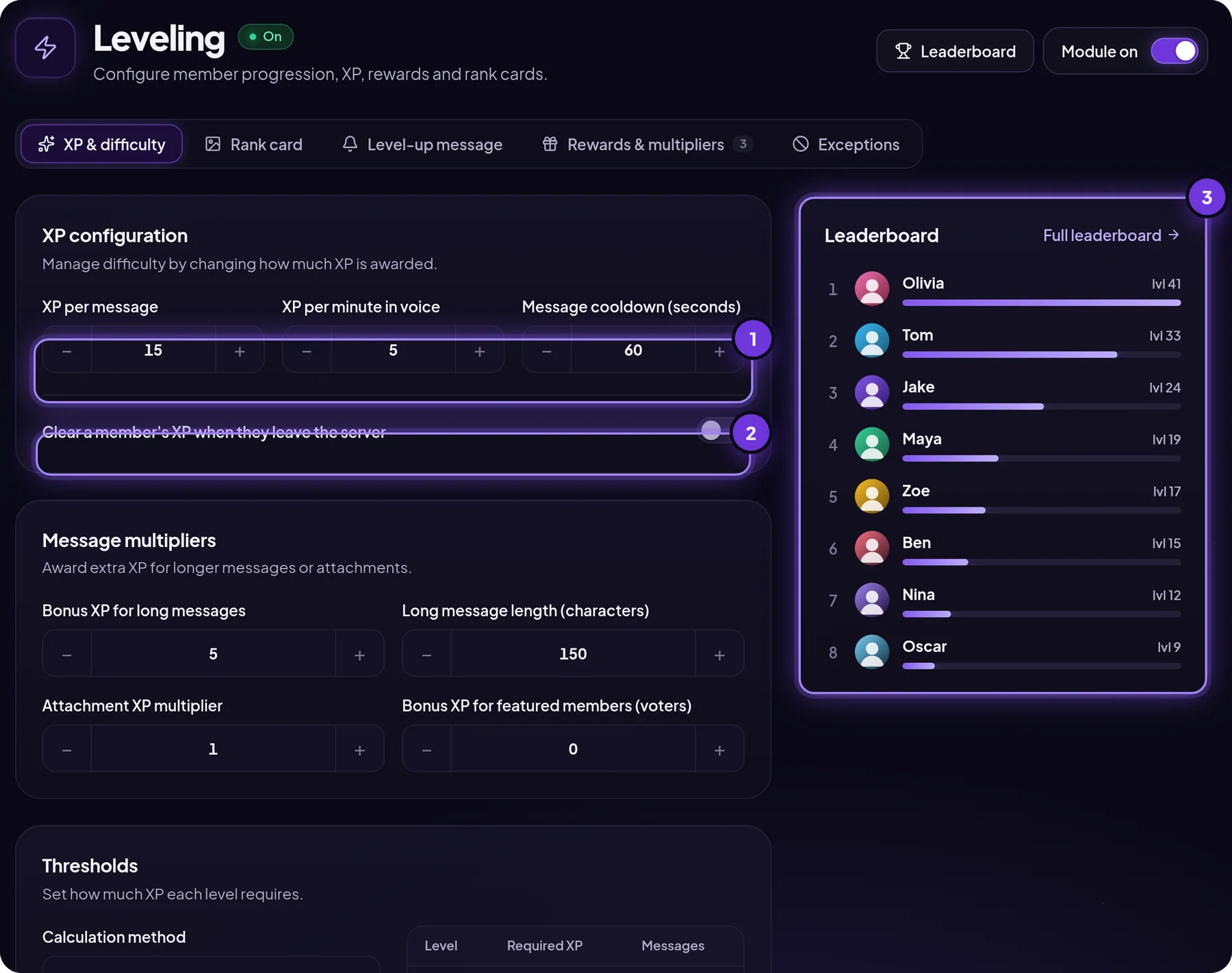
In XP & difficulty you set three basic numbers:
- XP per message: how many points one message earns.
- XP per voice minute: 0 by default. Set it to something like 5 if your community talks more than it types.
- Message cooldown: how many seconds before another message earns XP.
Below that you find message multipliers: bonus XP for long messages (for example, over 150 characters), a multiplier for messages with attachments, and a flat bonus for featured members such as bot voters. Under Levels you choose the Default curve or a Custom one where you set the XP needed for levels 2 and 3. The table next to it shows how many messages each level takes.
Choosing a pace: on a small server (under 200 members) keep the defaults so the first rewards arrive within days. On a large, busy server use a custom curve, or the leaderboard fills up with high levels very quickly.
Step 2. Add role rewards for levels
Level roles are the heart of the system. A colored role in the member list motivates more than any number on a leaderboard.
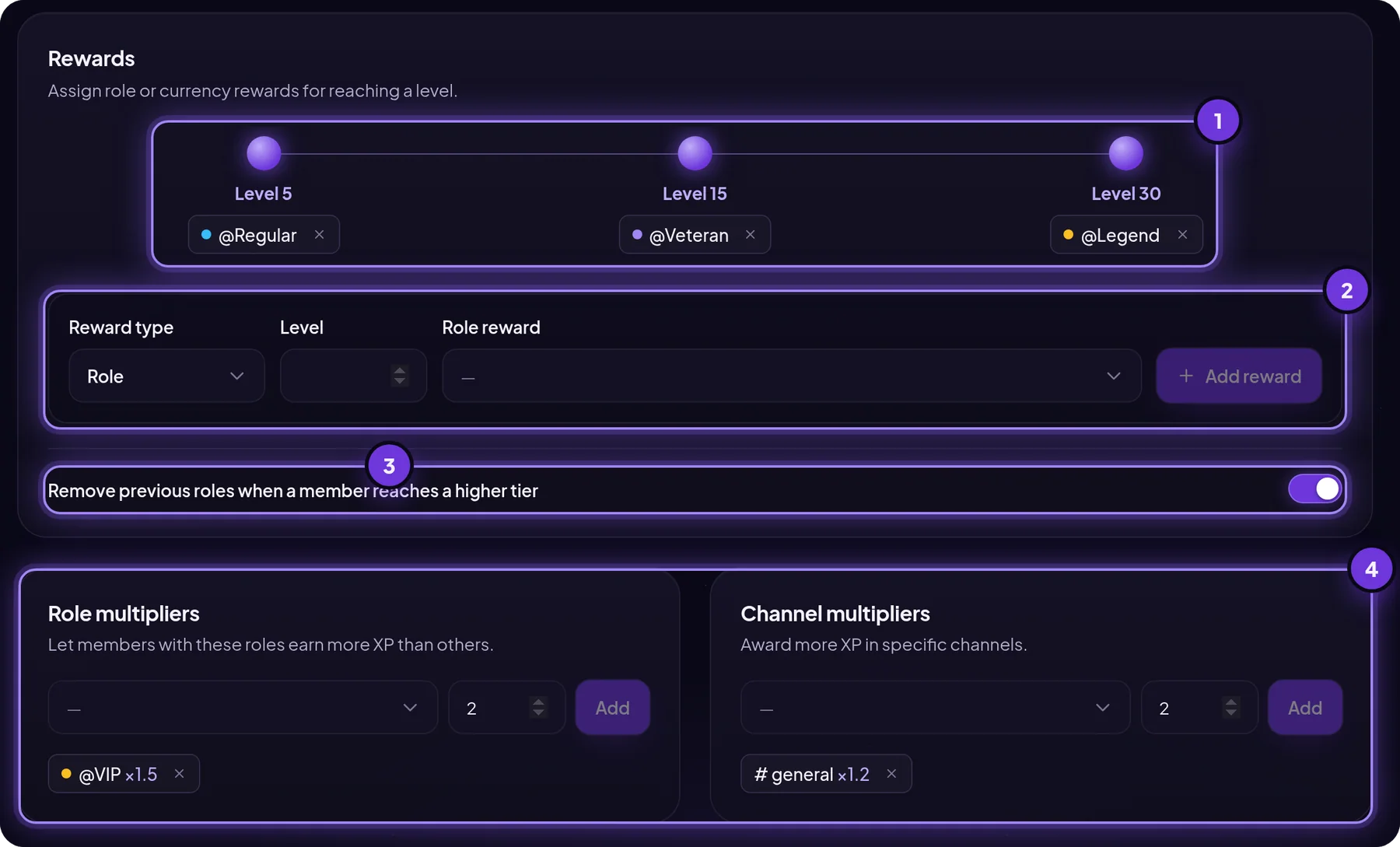
- Open Rewards & multipliers.
- Choose the reward type: Role or Currency (if you use the economy).
- Enter the level, pick the role and click Add reward.
- Decide whether previous roles are removed on level-up. On: members hold one level role at a time. Off: roles stack.
A proven starting setup is three milestones such as 5, 15 and 30. Most active members hit the first in a week, the second in about a month, and the third stays for your most loyal regulars.
XP multipliers reward chosen groups. A VIP role at ×1.5 earns XP 50% faster, and #general at ×1.2 keeps conversation in one place instead of side channels.
Mind the role hierarchy. The bot role must be above the roles it gives for levels, or Discord blocks the assignment.
Step 3. Set up the level-up message
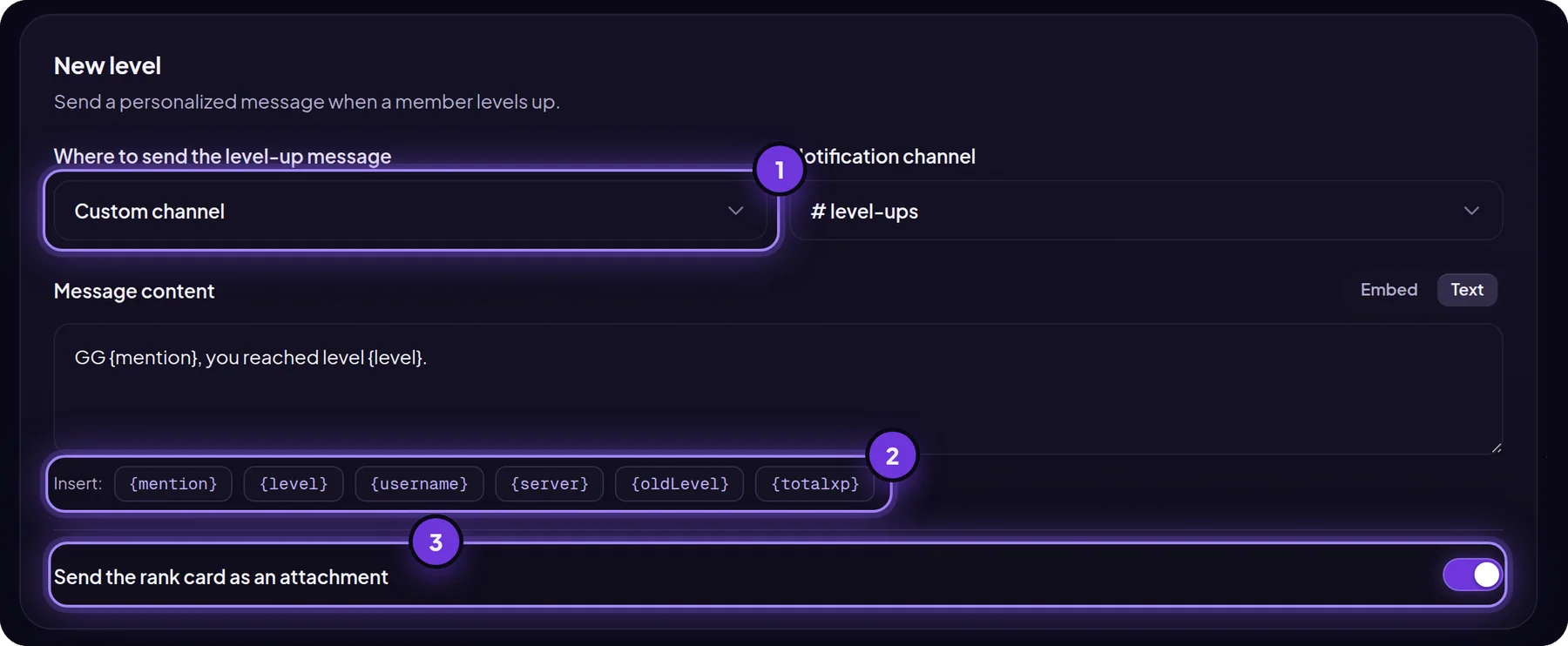
The level-up message can go to:
- The current channel: where the member just typed. Most visible, but noisy on big servers.
- A custom channel: such as
#level-ups. Best for servers with a few hundred members or more. - A direct message: only the member sees it.
Variables you can use:
| Variable | Replaced with |
|---|---|
{mention} | A mention of the member |
{username} | Their username |
{level} | The new level |
{oldLevel} | The previous level |
{totalxp} | Total XP |
{server} | Your server name |
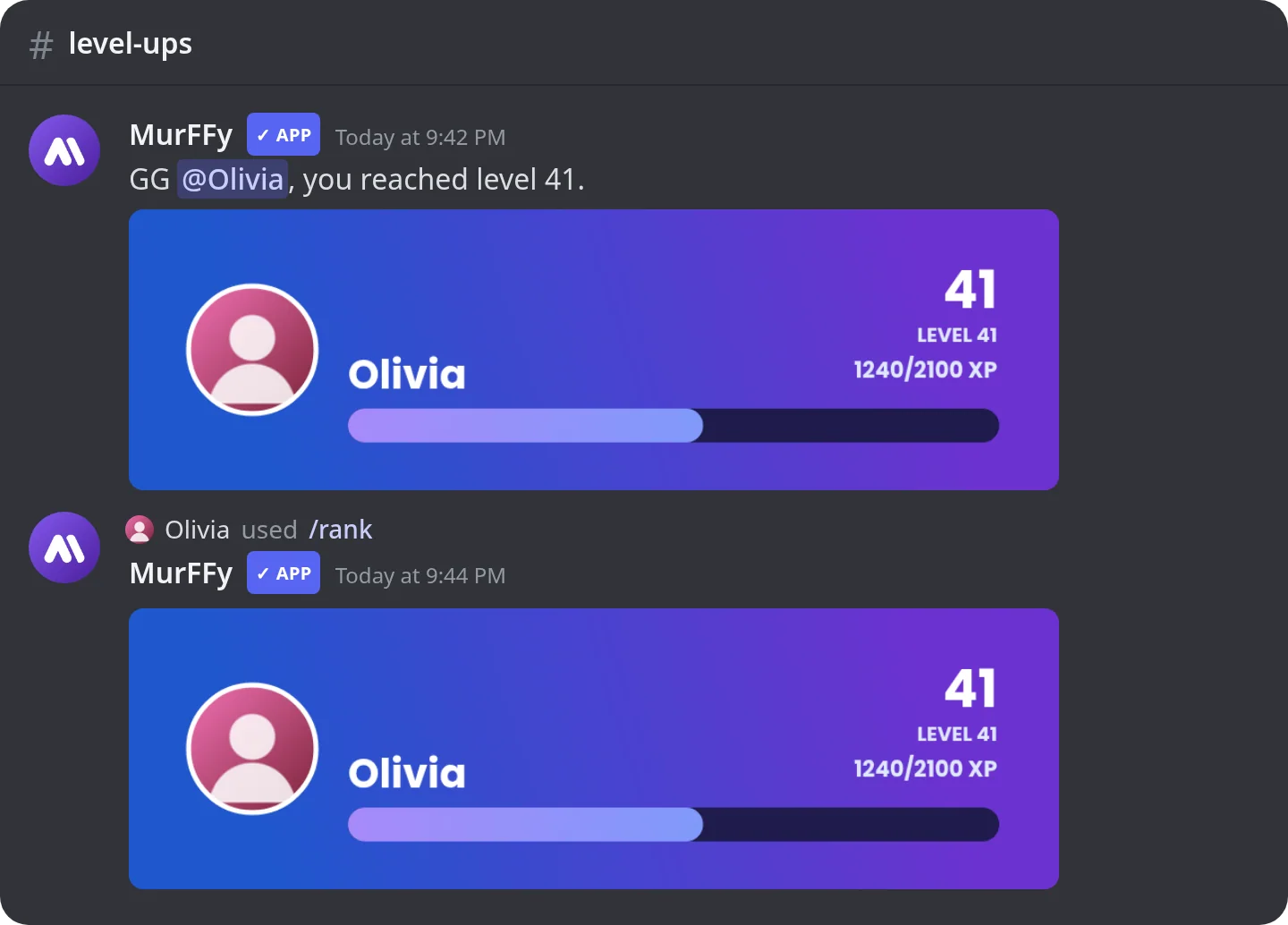
Example: GG {mention}, you reached level {level}. Turn on Send the rank card as an attachment to add an image with the avatar and XP bar.
Step 4. Design the rank card
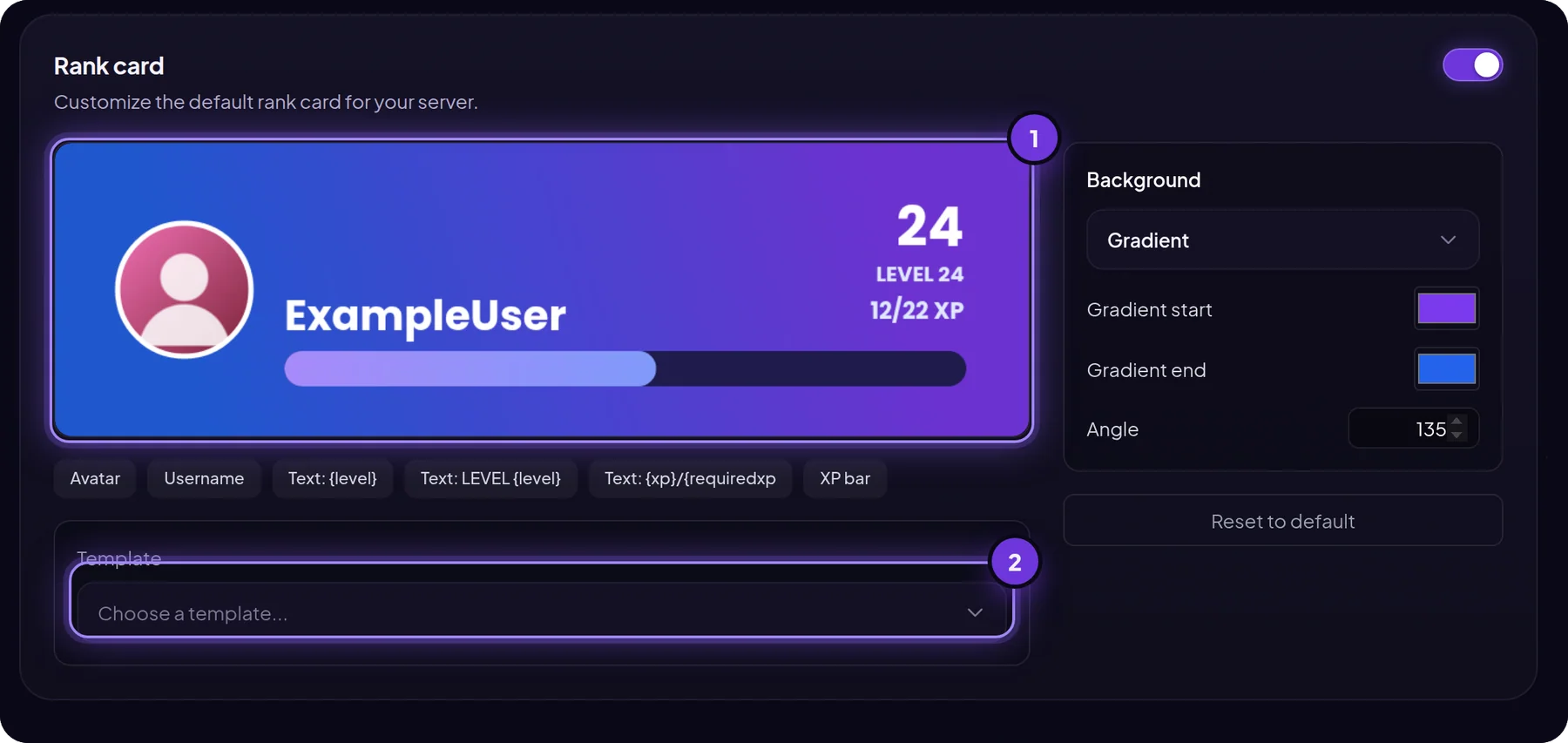
The rank card appears on level-up and when someone runs /rank. In Rank card you pick a template, then change the background (color, gradient or your own image), avatar, XP bar and text.
Step 5. Turn off XP where it makes no sense
Bot-command, meme and counting channels quickly become XP farms. In Exceptions, add them to the blocked list. You can also flip it to allowed mode, so XP only counts in the channels you choose.
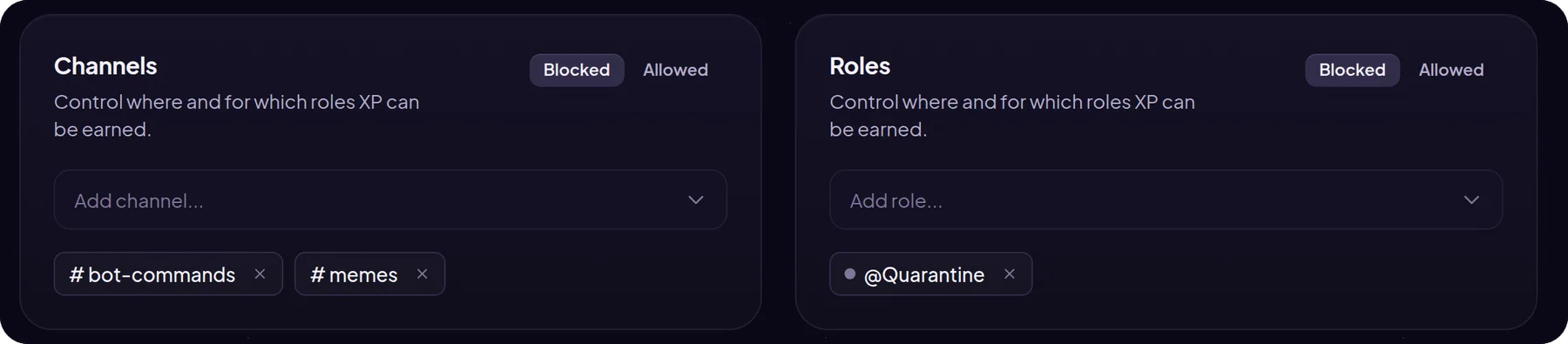
Roles work the same way: put Quarantine or Muted on the blocked list and punished members won't level up.
Commands for members and staff
| Command | Who | What it does |
|---|---|---|
/rank | everyone | Your rank card, or someone else's |
/leaderboard | everyone | Server leaderboard by XP, invites or messages |
/xp add-xp | staff | Adds XP to a member |
/xp set-level | staff | Sets a level |
/xp set-xp | staff | Sets total XP |
/xp reset | staff | Resets a member's progress |
There is also a public web leaderboard you can link in announcements. The Leaderboard button in the dashboard opens it.
FAQ
Is MurFFy's leveling system free?
Yes. Custom XP rates, cooldowns, role rewards, multipliers, level-up messages, the rank card, the leaderboard and exceptions are all on the free plan. Premium raises limits such as the number of rewards.
Can I move levels from another bot?
Use /xp set-level or /xp set-xp to set levels by hand, for example for your most active members who don't want to start from zero.
Does voice chat earn XP?
Yes, once you set XP per voice minute above 0.
How do I stop XP spam?
Keep the message cooldown at 30–60 seconds or more and add command channels to the exceptions.
What's next
Levels work best alongside other reasons to be active. Pair them with an economy and a role shop, and show newcomers where to start with welcome messages.
See everything the module does on the Discord leveling bot page.