On this page
Carl-bot is a favorite among experienced server admins, and for good reason. Its reaction roles are some of the most flexible on Discord, its tags (custom commands) can do real scripting, and its logging is detailed. A lot of it is free.
So why look for a Carl-bot alternative? Usually because the server grows and needs things Carl-bot doesn't focus on: levels, tickets, an economy, invite tracking. That's where MurFFy comes in. Disclosure: we build MurFFy. Carl-bot details were checked in September 2026. Bots change fast, so confirm on Carl-bot's own documentation.
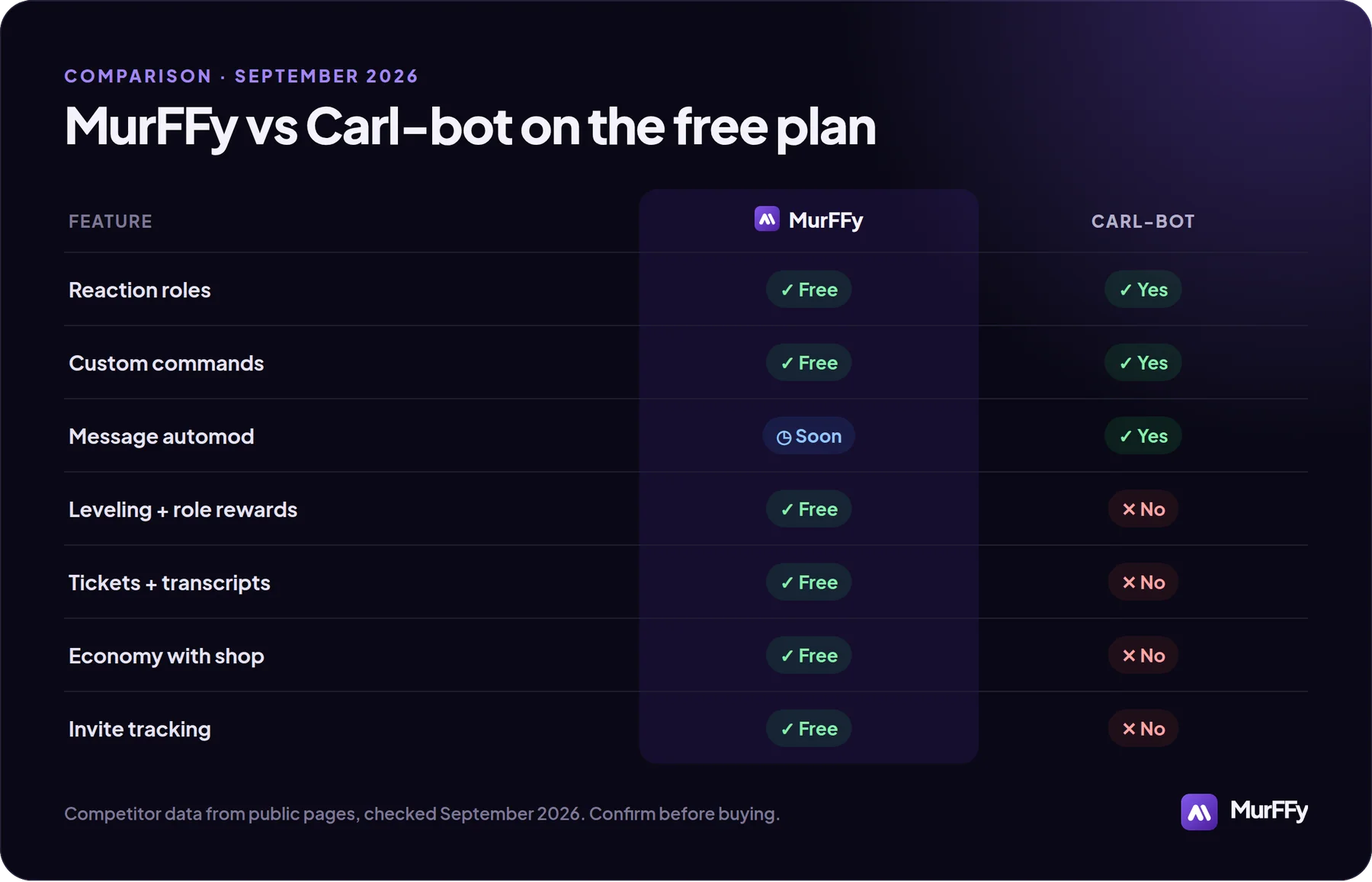
Quick answer
- Keep Carl-bot if reaction roles and scripted custom commands are the heart of your server.
- Choose MurFFy if you want reaction roles plus leveling with role rewards, tickets with transcripts, an economy and invite tracking in one free dashboard.
- Message automod is currently stronger in Carl-bot. MurFFy's message filters are coming soon, so pair it with Discord AutoMod.
MurFFy vs Carl-bot: feature by feature
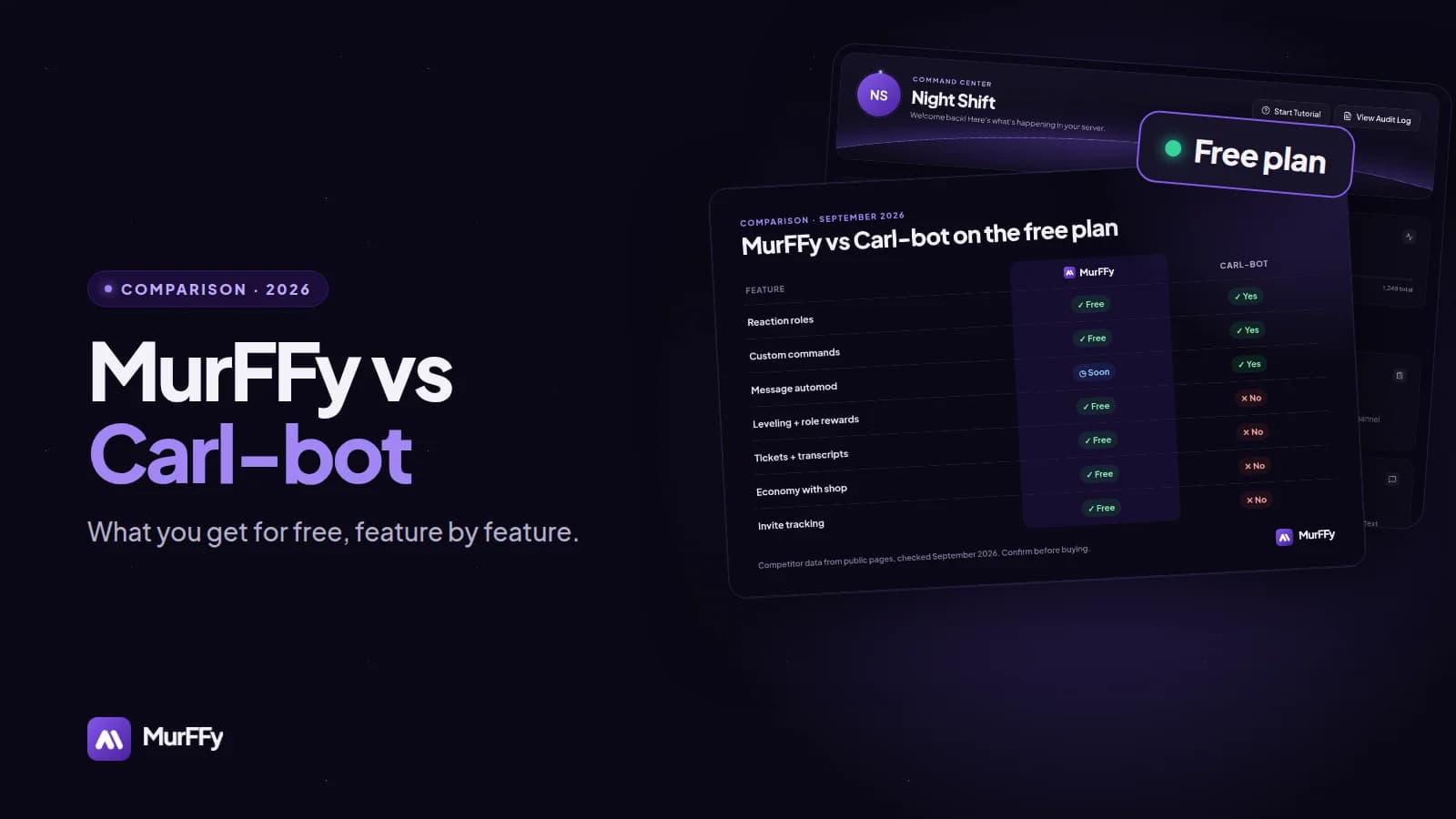
| Feature | MurFFy (free) | Carl-bot (free) |
|---|---|---|
| Reaction roles / role buttons | Yes | Yes, very flexible |
| One-role-only mode (colors) | Yes | Yes |
| Custom commands / tags | Yes | Yes, with scripting |
| Server logs | Yes | Yes |
| Message automod (spam, links) | Coming soon | Yes |
| Embed builder | Yes | Yes |
| Leveling with role rewards | Yes | No built-in leveling |
| Tickets with transcripts | Yes | No built-in tickets |
| Economy with a shop | Yes | No |
| Invite tracking | Yes | No |
| Join to Create voice channels | Yes | No |
| New-account screening on join | Yes (JoinGuard) | Via automod rules |
Where Carl-bot is better
Let's be clear about this first:
- Reaction role depth. Carl-bot supports many modes and very high limits. If you run huge role menus with complex rules, it's hard to beat.
- Tag scripting. Carl-bot's tags are close to a small programming language. MurFFy's custom commands and tags cover typical responses, not scripting.
- Message automod. Carl-bot filters message content today. MurFFy's message filters aren't released yet.
- Maturity. Carl-bot has been around for years, with plenty of guides and templates.
Where MurFFy is better
MurFFy covers the engagement and support side of a server, which Carl-bot leaves to other bots:
- Leveling: XP for messages and voice, role rewards, multipliers, a rank card editor and a public leaderboard. Leveling guide
- Tickets: panels with buttons, a support role per ticket type, claiming and transcripts. Ticket guide
- Economy: currency,
/daily,/work, jobs, a bank and a role shop. Economy guide - Invite tracking: who invited who, with fake and left invites separated. Invite guide
- VoiceMaster: Join to Create temporary voice channels. Voice guide
- JoinGuard: screens every new account on join and can quarantine or kick it. Anti-raid guide
Everything is set up in a web dashboard with a live preview, not with commands.
Reaction roles in MurFFy
If you're moving role menus from Carl-bot, here is what MurFFy's Selfrole module offers on the free plan:
- buttons or reactions, with a label, emoji and button color per role,
- toggle mode, where a click adds or removes the role,
- one role per panel, perfect for name colors,
- a blacklist of roles that can't use the panel, such as Quarantine,
- a plain text or embed panel message.
Step by step: Discord reaction roles guide.
Should you run both?
Plenty of servers do, and it's a reasonable setup:
- Carl-bot for complex role menus and scripted tags,
- MurFFy for welcome messages, levels, tickets, the economy and invites.
Just avoid overlap: pick one bot for welcome messages and one for self roles, and turn the matching module off in the other. Two bots answering the same event means duplicate messages and roles fighting each other.
Moving from Carl-bot to MurFFy
- Add MurFFy from the dashboard and place its role above the roles it assigns.
- Rebuild your role panels in Selfrole and click Send.
- Delete the old Carl-bot role messages so members don't use both.
- Recreate your welcome message in Welcome and send a test.
- Keep Discord AutoMod on for message filtering.
FAQ
Does Carl-bot have a leveling system?
As of September 2026 Carl-bot doesn't have a built-in leveling module, so servers usually add a separate leveling bot. MurFFy includes leveling with role rewards on the free plan.
Is MurFFy good for reaction roles?
Yes, for typical role menus: games, pings, colors and regions, with buttons or reactions. For extremely large or scripted menus, Carl-bot is still more flexible.
Is MurFFy free?
The core modules are free. Premium adds your own bot instance and 2× limits.
Try MurFFy next to (or instead of) Carl-bot →
More comparisons: best Discord bots in 2026.